GE FORMS (SUPPORTCENTRAL)
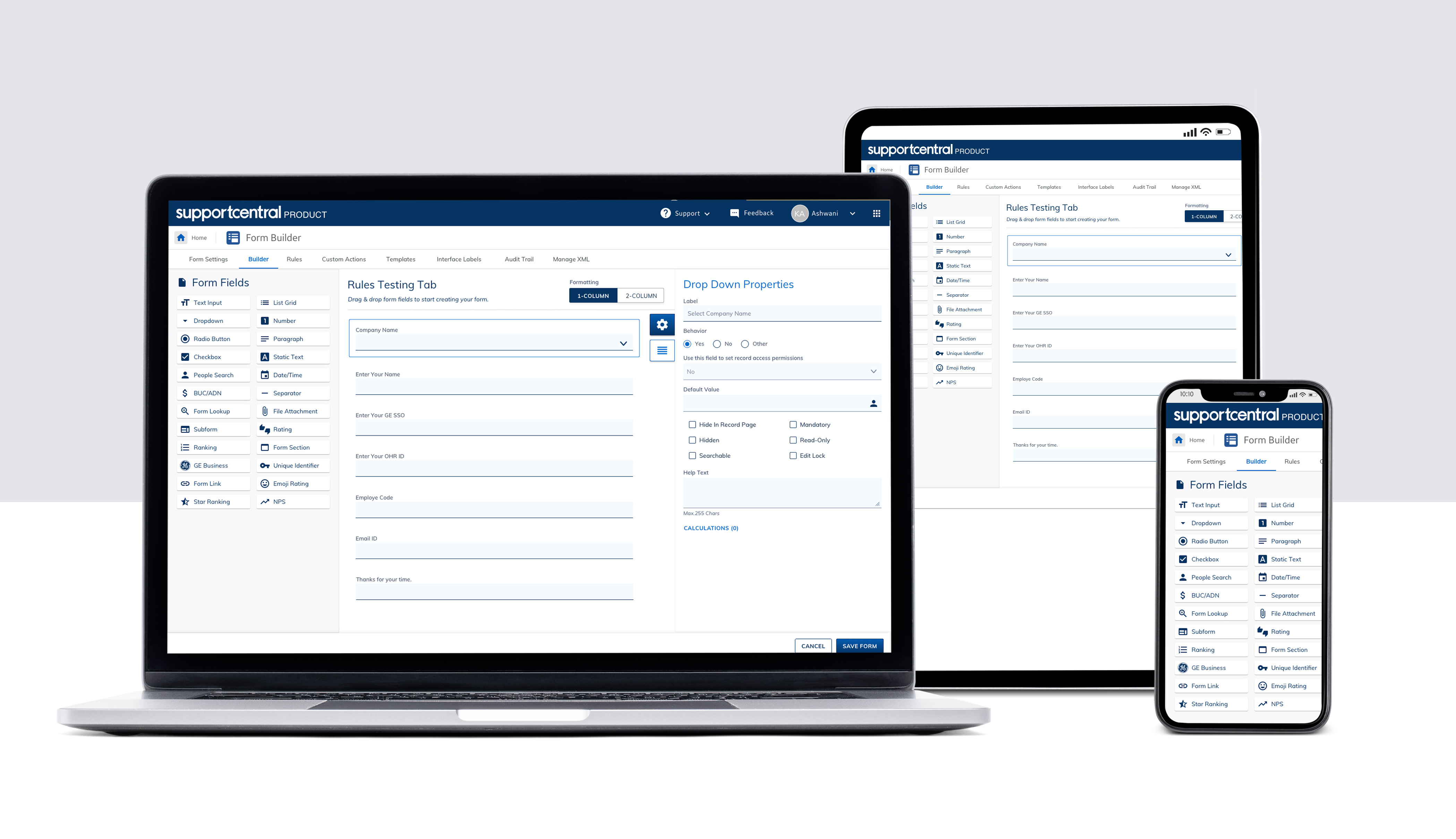
Forms is the easy way to create and share online forms and manage your data. Forms is the next generation of SupportCentral Dataforms that allows you to build web forms to collect information, store, sort, filter, and report on data, create charts on the basis information store.
PROJECT OVERVIEW
Forms is an intuitive, scalable, and user-centric solution designed to simplify data collection, enhance collaboration, and improve decision-making. As the next evolution of SupportCentral Dataforms, Forms empowers users to create, customize, and manage web forms effortlessly, while ensuring seamless data storage, filtering, reporting, and visualization.
Key Capabilities & Features
- Intuitive Form Builder: A no-code, drag-and-drop interface allowing users to create dynamic web forms with ease.
- Advanced Data Management: Users can store, sort, filter, and analyze collected data efficiently.
- Custom Rules & Actions: Supports rule-based automation, conditional logic, and workflow triggers.
- Data Visualization & Reporting: Built-in tools for generating charts, reports, and insights in real time.
- Responsive Design : Forms is designed with a responsive, inclusive, and accessible user experience, ensuring optimal usability across all modern devices and browsers within the GE Intranet
- Minimal Learning Curve: Designed with usability best practices, ensuring an intuitive experience for users of all skill levels.
- Accessibility Compliance: Adheres to WCAG 2.1 guidelines, making Forms inclusive for all users.
- SSO-Enabled Access: Secure authentication for all GE employees.
- Flexible Sharing: Forms can be shared internally within GE and externally with individual users or Distribution Lists (DLs).
MY ROLES & CONTRIBUTION
As a UX Designer & Researcher, I played a key role in enhancing the user experience by leveraging research-driven insights, human-centered design principles, and industry best practices. My contributions included
- User Experience (UX) Design & Research: Conducted user research, competitor analysis, and stakeholder interviews to inform design decisions.
- UI Design & Interaction Design: Developed intuitive and visually appealing interfaces that enhance usability and engagement.
- Wireframing & Prototypingh: Created low and high-fidelity wireframes and interactive prototypes to test and validate design concepts.
- User Testing & Usability Evaluation: Conducted usability testing, A/B testing, and gathered user feedback to refine the product experience.
- Heuristic Evaluation & App Review: Performed a thorough usability assessment of the original application to identify pain points and areas for improvement.
- Brand-Compliant Design: Ensured UI consistency and adherence to brand guidelines for a seamless and professional user experience.
BUSINESS CHALLENGE
The existing form creation process had several usability and efficiency gaps, impacting user productivity and overall experience
- Cumbersome & Lengthy Workflow: Form creation was tedious and time-consuming due to an overly complex interface.
- Hidden & Inefficient Navigation: Important functionalities were difficult to locate, leading to user frustration.
- Excessive Clicks & Steps: The process required too many interactions, reducing efficiency.
- Lack of Intuitiveness: The user interface was not intuitive, increasing the learning curve.
- Limited Customization & Flexibility: Users had minimal options to personalize forms based on specific needs.
- Accessibility & Mobile Optimization Gaps: The platform lacked full WCAG 2.1 compliance and was not fully optimized for mobile users.
- Inefficient Data Management & Validations: Limited real-time feedback, error handling, and data organization reduced effectiveness.
- Inconsistent User Experience: Lack of standardized design patterns created confusion and hindered usability.
The Goal was to improve the user experience and revamp the application considering the competitive industry
USER & BUSINESS GOALS
The user goal was to easily access and manage the Forms created/ shared with them, whereas the business goal was to eliminate multiple code bases to reduce maintenance/ support cost.
User Goals
- Easily access, create, and manage forms shared with them.
- Navigate the platform seamlessly with an intuitive and user-friendly experience.
- Reduce the time and effort required to complete form-related tasks.
Business Goals
- Unify & Improve User Experience – Ensure consistency across all workflows to enhance usability and adoption
- Simplify Training & Onboarding – Reduce the learning curve, making it easier for users to understand and use the system.
- Optimize Cost & Development Effort – Eliminate multiple code bases to lower maintenance and support costs.
- Accelerate User-Requested Enhancements – Reduce cycle time for implementing new features and improvements.
- Modernize Technology Stack – Transition to a scalable, future-proof architecture for improved performance and security.
THOUGHT PROCESS
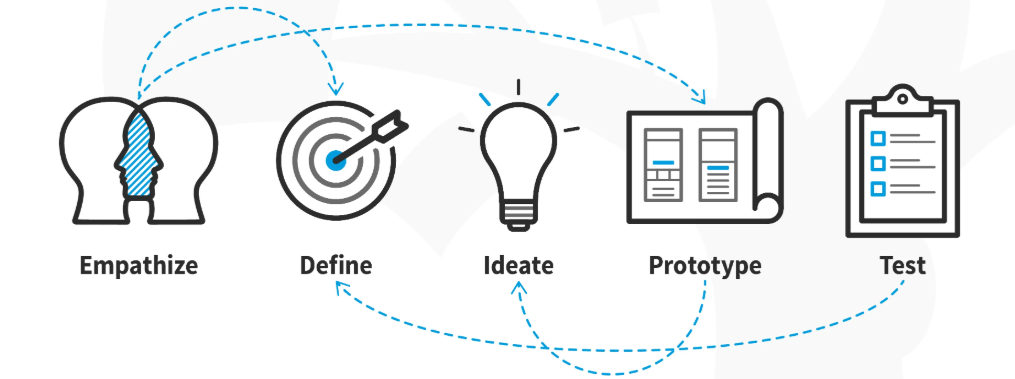
USER PERSONAS
User Personas represent sub groups of the the target audience. The two key personas for which product could be applicable for would be Business Analyst and Operations Manager.

SOLUTION
- User Research & Insights – Conducted user interviews, surveys, and usability testing to identify pain points and expectations.
- Competitive & Industry Benchmarking – Analyzed best practices from similar platforms to enhance functionality and user experience.
- Experience & Interface Redesign – Developed wireframes, interactive prototypes, and low/high-fidelity mockups to refine the user journey.
- Front-End Design & Development – Delivered a responsive, scalable, and accessible UI aligned with modern UX/UI standards.
- Improved Navigation & Interaction Design – Streamlined workflows, reduced clicks, and enhanced discoverability of key features.
- Design System Implementation – Established reusable UI components and patterns to ensure consistency and scalability.
- Performance Optimization – Enhanced front-end performance for faster load times and seamless interactions.
- Accessibility & Compliance – Ensured adherence to WCAG 2.1 guidelines, making the platform inclusive and user-friendly across all devices.
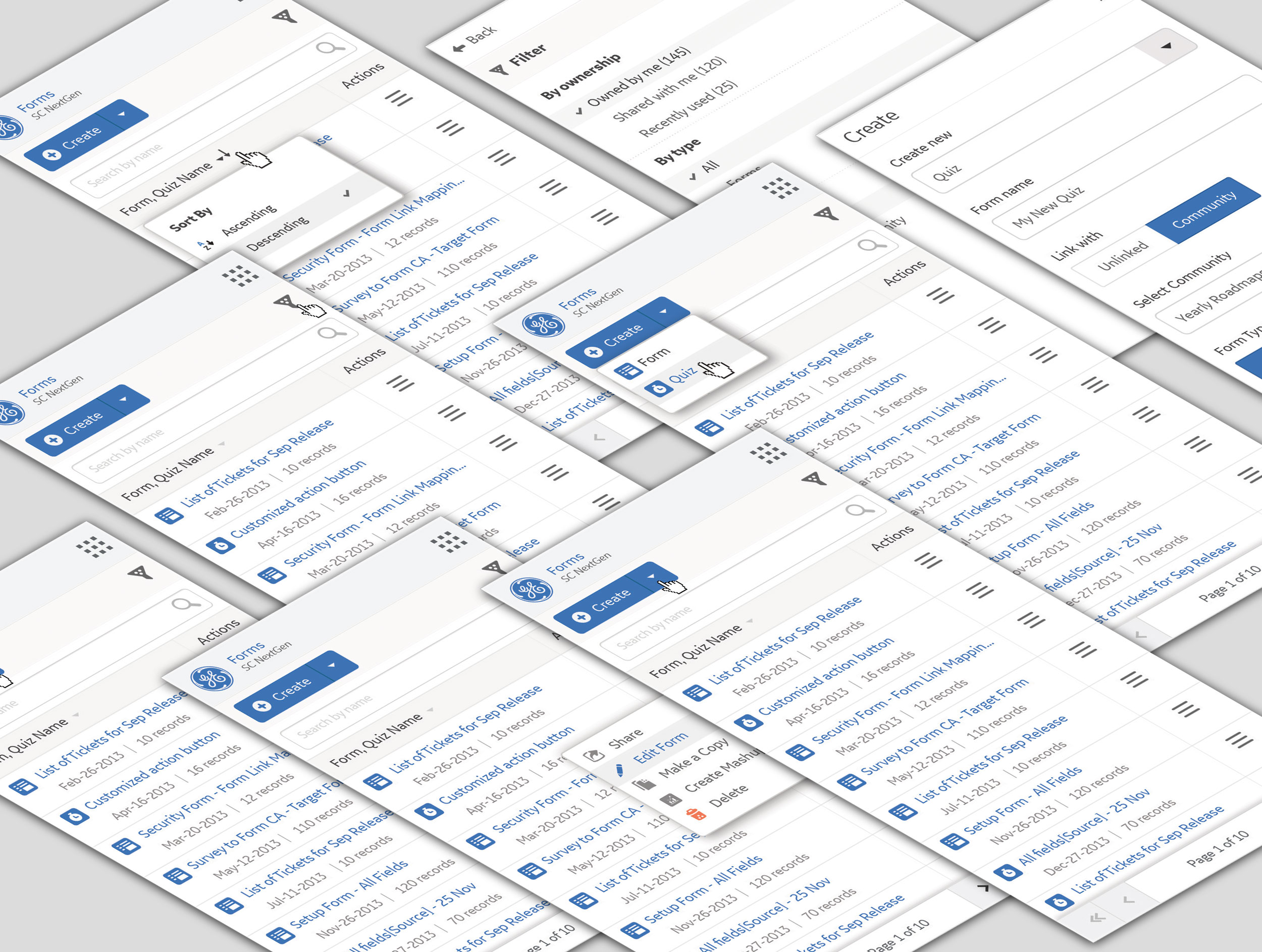
RANDOM SOLUTION SCREEN SHOTS
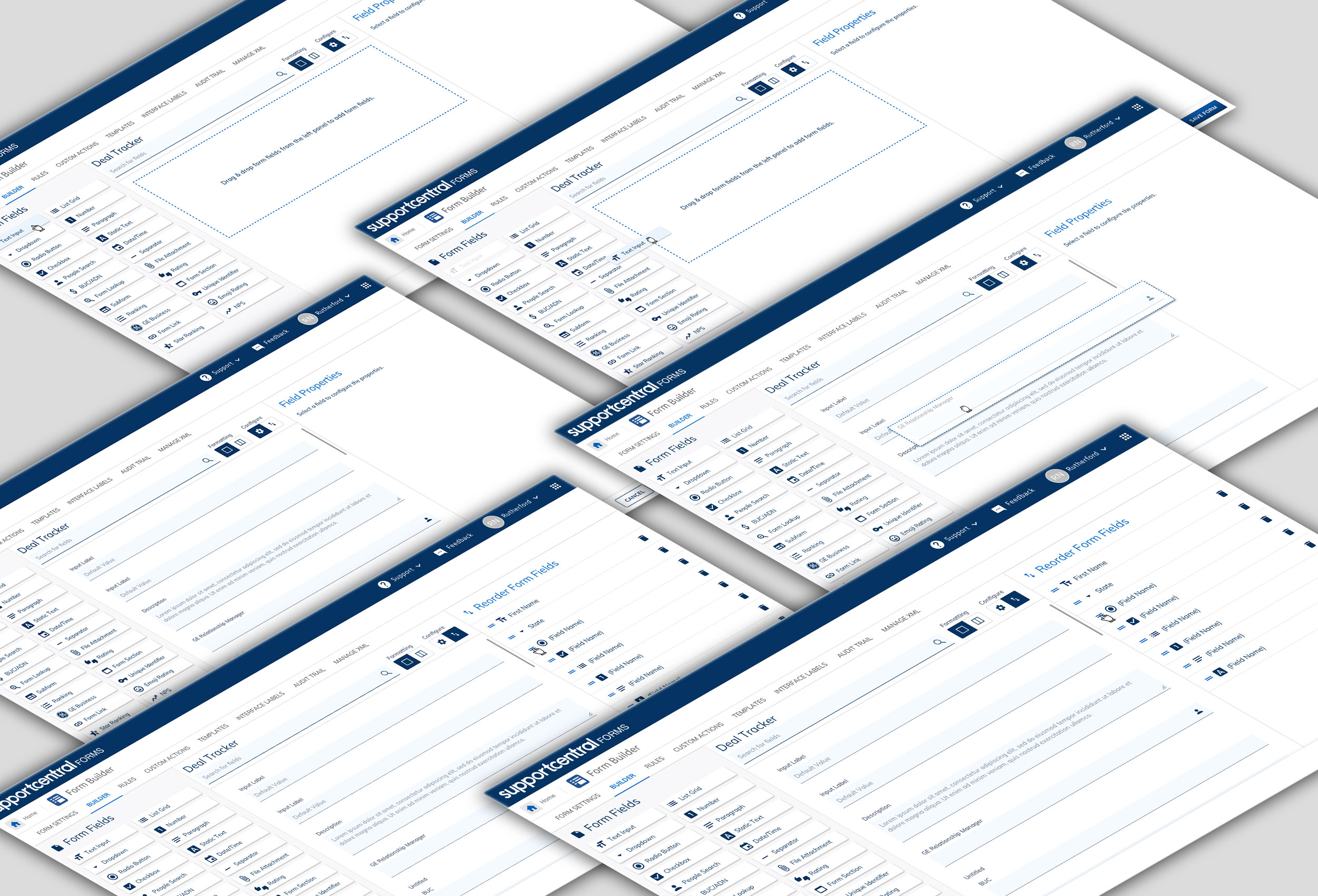
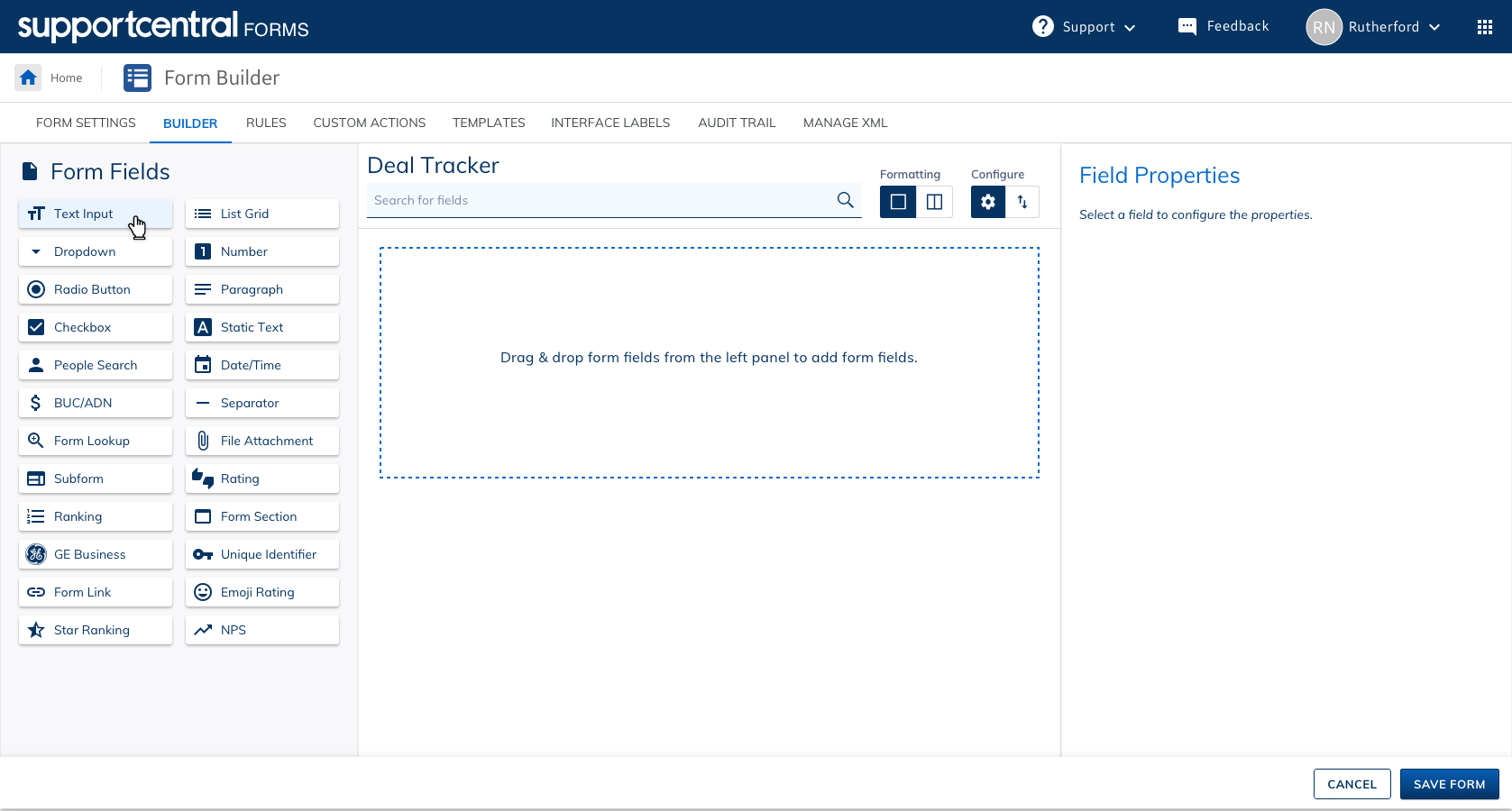
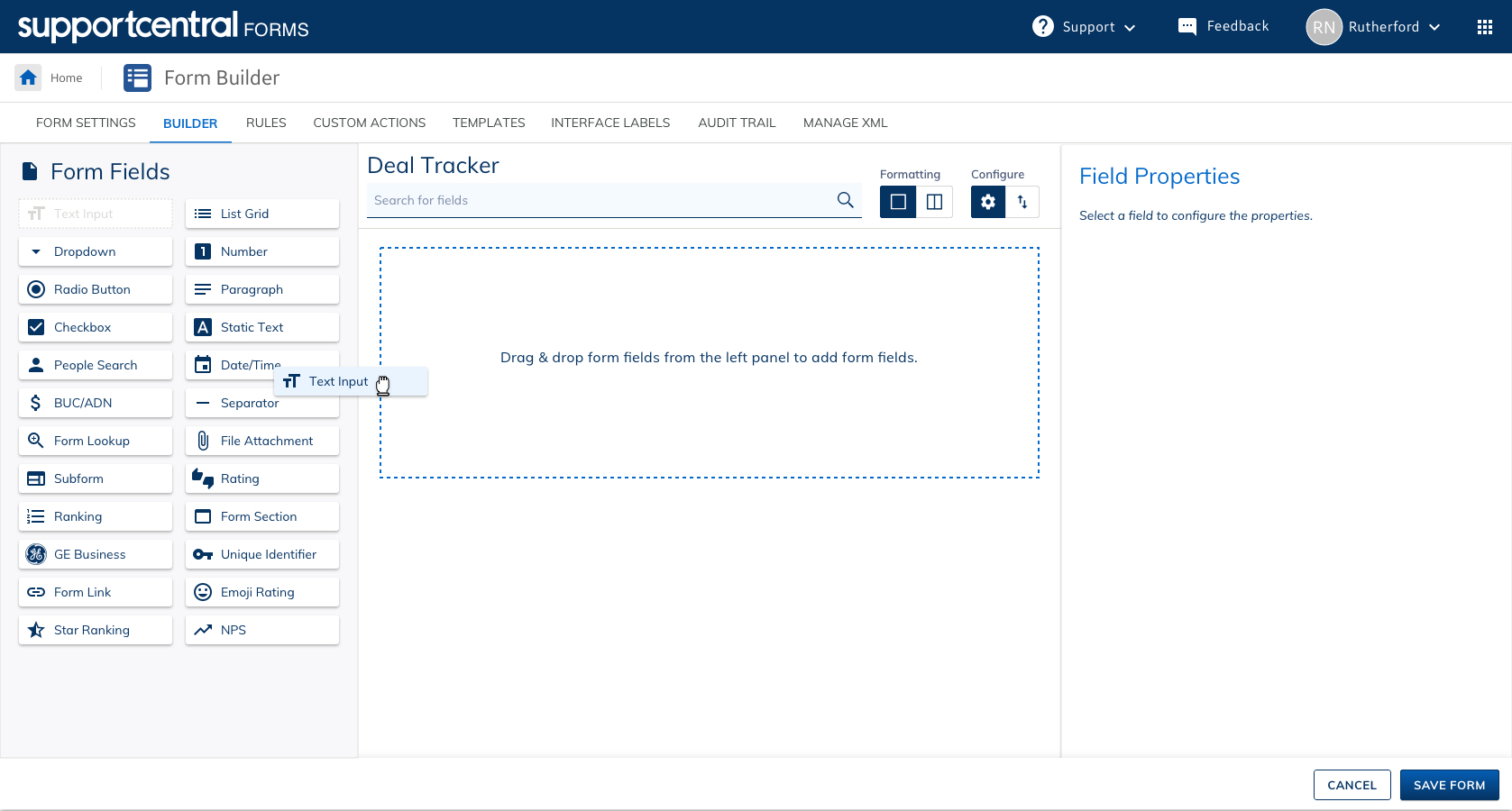

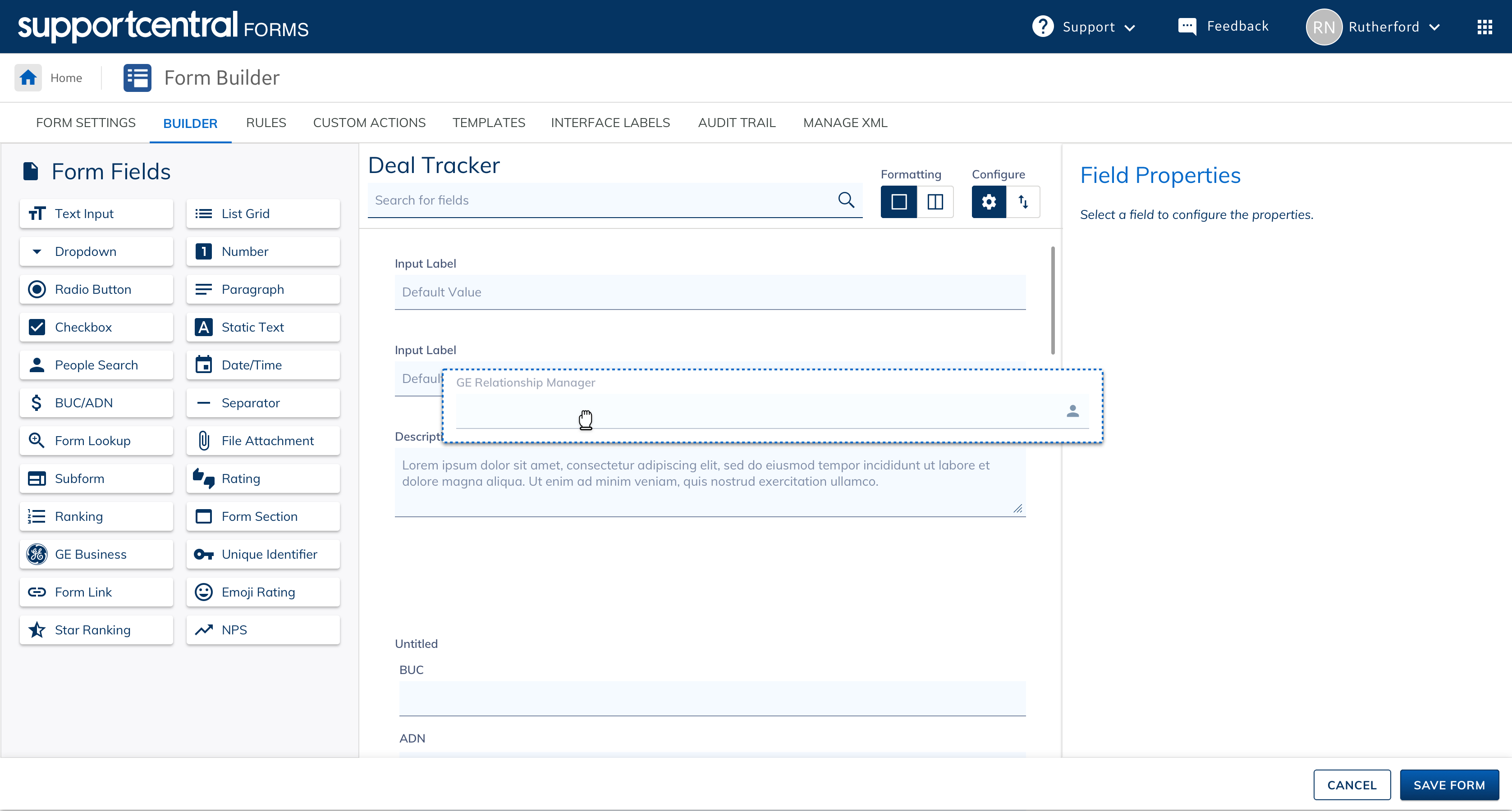


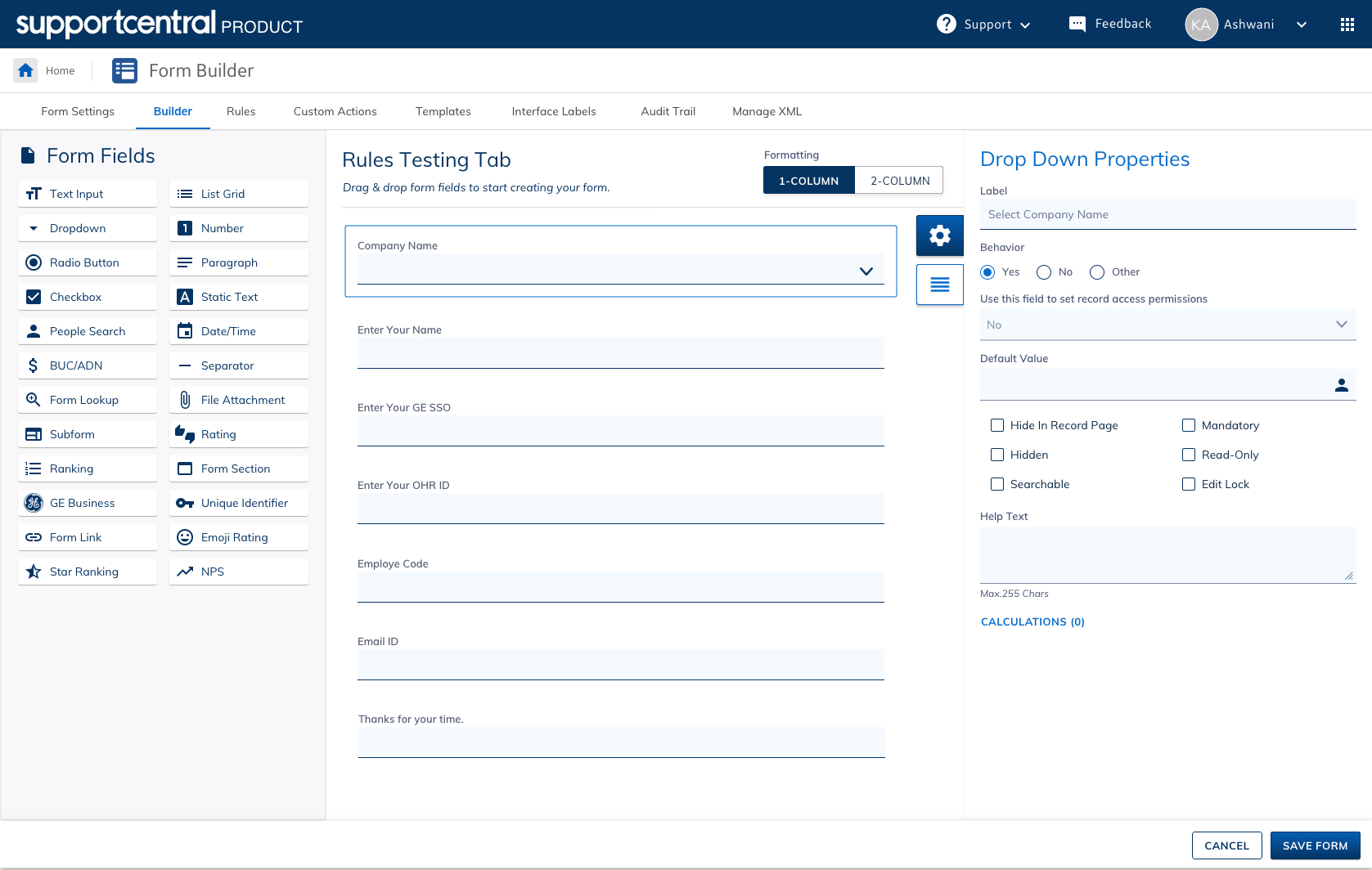
Some Random Screenshots from the mobile app.
TECH STACK
- GUI: Sketch, Adobe CC Suite, Material Design, Lumos (Design System)
- Development: HTML, CSS, Backbone, Bootstrap, NodeJS, Mustache, JQuery, jsplumb, AngularJS, ReactJS
- Management & Monitoring:Jira and Trello
USP SUCCESS STORY
The Forms platform revolutionized form creation, data management, and workflow automation, delivering a scalable, secure, and intuitive solution that significantly enhanced user experience and business efficiency.
- WYSIWYG Interface – A no-code, drag-and-drop Visual Form Designer for effortless form creation.
- Scalable & Fully Responsive – Optimized for all modern devices using the latest frameworks.
- Interactive & Smooth Transitions – Enhanced UX with seamless animations and dynamic interactions.
- Reduced Training & Support Efforts – Simplified workflows led to huge cost savings in onboarding and maintenance.
- Improved Efficiency & Accessibility – Designed for WCAG 2.1 compliance, ensuring inclusivity and ease of use.
- Enterprise-Grade Performance & Security – Supports secure collaboration and workflow automation across teams.
By prioritizing usability, security, and enterprise efficiency, Forms has become a key enabler in GE’s digital transformation, streamlining data collection, workflow automation, and decision-making across the organization.
The solution received high praise from GE’s leadership, with Gabriel Davis and other senior management acknowledging its impact on improving productivity, reducing costs, and enhancing user experience. Their appreciation reinforced the value of Forms as a scalable and future-ready platform for the enterprise.